
Lesson
2.1 Configuring Claude Code to work with OpenRouter, local LM Studio, or a corporate Qwen 3.6 27B model
Today, we’ll install Claude Code and configure it to work with other LLM providers. Of course, you can also use a regular Anthropic cloud subscription, but in this article I want to show how you can connect other models, such as ones that deliver speeds of 1,000 tokens per second! I’ll also explain in detail what challenges may arise and how to deal with them.
Installing the regular cloud-based Claude Code

Note that there is a desktop version, which you can download here: https://claude.ai/downloads , but we need the other one, the command-line version. Its beauty is that you can install it on your remote server and edit things directly from the console via SSH.
macOS / Linux / WSL (Windows Subsystem for Linux)
curl -fsSL https://claude.ai/install.sh | bash
Windows (via PowerShell)
irm https://claude.ai/install.ps1 | iex
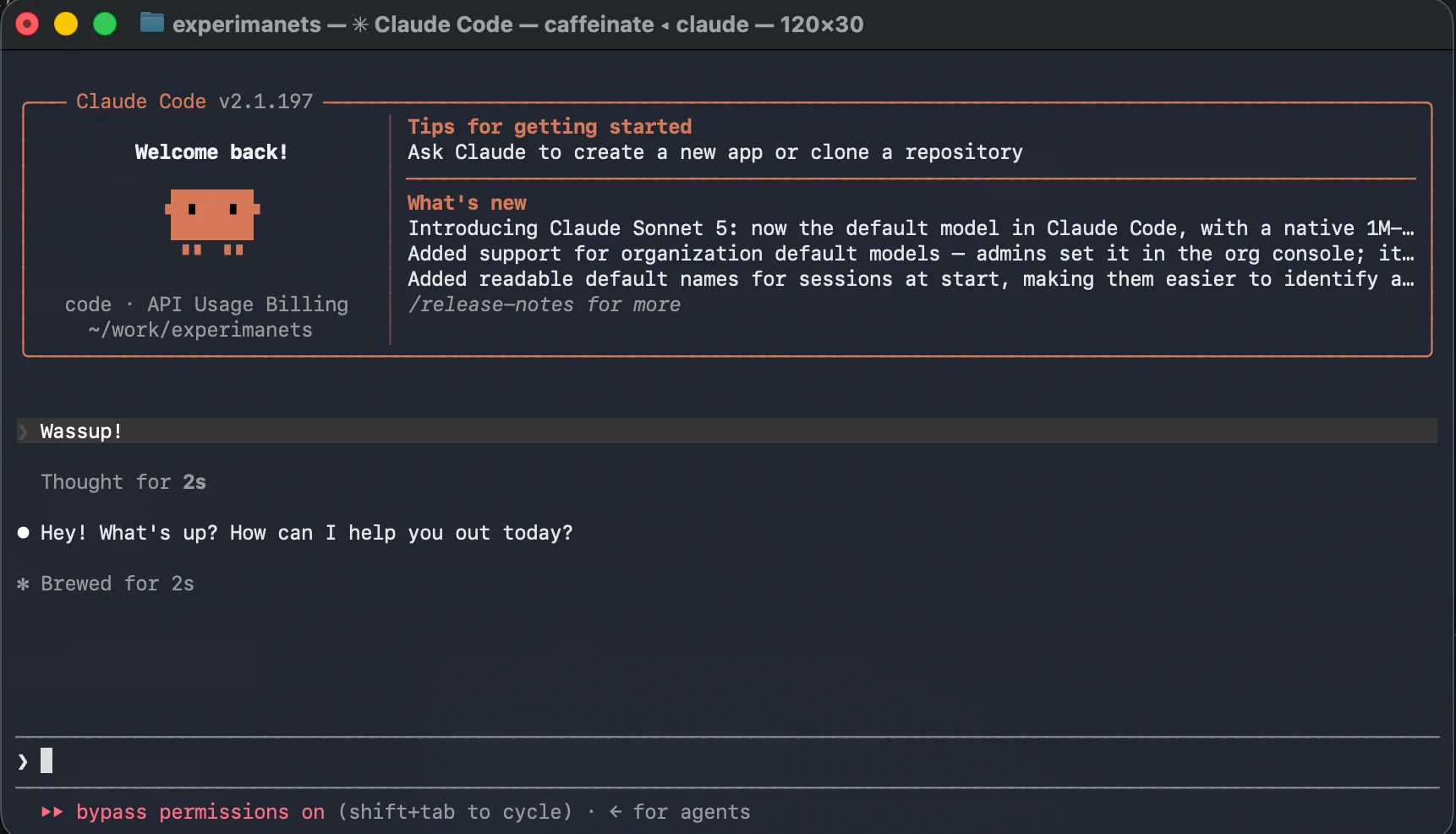
Go to the project folder in the terminal and try running:
claudeAt first, it may require some fairly simple setup, but I already have everything configured.
Differences between OpenAI-compatible endpoints and Claude Code endpoints
The main difference is that different request paths are used to obtain the model's response.
We will need this information if we want to connect other models to Claude Code and avoid depending on a subscription. This is possible.
OpenAI-compatible API endpoints
This standard was developed for text transactions (REST API). All endpoints have a strict versioning prefix (usually /v1/):
POST /v1/chat/completions: The main operational endpoint. It accepts an array ofmessageswith roles (system,user,assistant) and returns generated text or JSON for Tool Calling.GET /v1/models: Returns a structured list of all models available on this server (for example,gpt-4o,llama-3,deepseek-coder).
Claude Code infrastructure endpoints
Claude Code works with other endpoints, and for it to work with a different non-native model, that model must support them as well.
POST /v1/messages: The native Anthropic endpoint through which Claude Code communicates with the model. Unlike OpenAI, it is optimized for strict system prompt structures and native media file transfer.
Connecting OpenRouter. Why use it? Where is the Claude Code config stored?
OpenRouter is one of the best-known model aggregators. You pay per token, and you can pay with crypto. Naturally, it is much more expensive than a subscription. But you get access to several thousand different models. You can compare different models using the same prompts. You can also use cheap and expensive models for different tasks as needed. In addition, there are free models with limits, but if you need a few free tokens for your small tasks, this is an excellent option.
For example, I use OpenRouter for automatically translating my articles on this website and generating SEO fields and slugs. This is built into the website engine, which I actually wrote myself from scratch with the help of AI in about five days; it is a smarter and lightning-fast alternative to WordPress. Right now, I spend a couple of cents on each save and translation of an article into English.
Here you can also find models that run at a blazing speed of 500–1000 tokens per second and can call tools. No Codex or Claude subscription will give you that kind of speed.
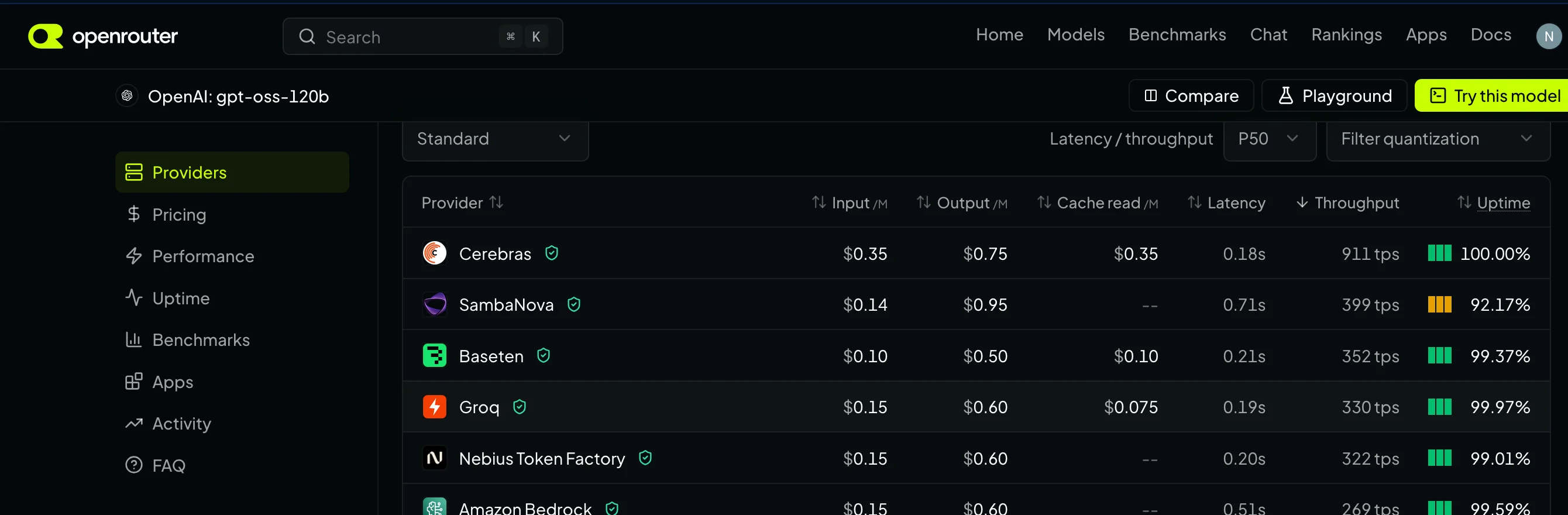
As an example, take a look at OpenAI's model gpt-oss-120b from the provider Cerebras. The provider has its own clever hardware that greatly accelerates generation. Average speed: 911 tokens per second. Its own hardware is also available from Groq(great folks, don't confuse them with Elon Musk's Grok) — but it only delivers 330 tokens per second for this model.
In the screenshot below, look at the column Throughput, which shows how many tokens per second the model produces.
Testing an application by controlling the browser with Playwright turns into some kind of unbelievable fairy tale. In normal mode, manually checking a step-by-step scenario to reproduce a bug is 10 times faster than waiting for a model running at 40–100 tokens per second to navigate through pages and take snapshots in search of your bug.
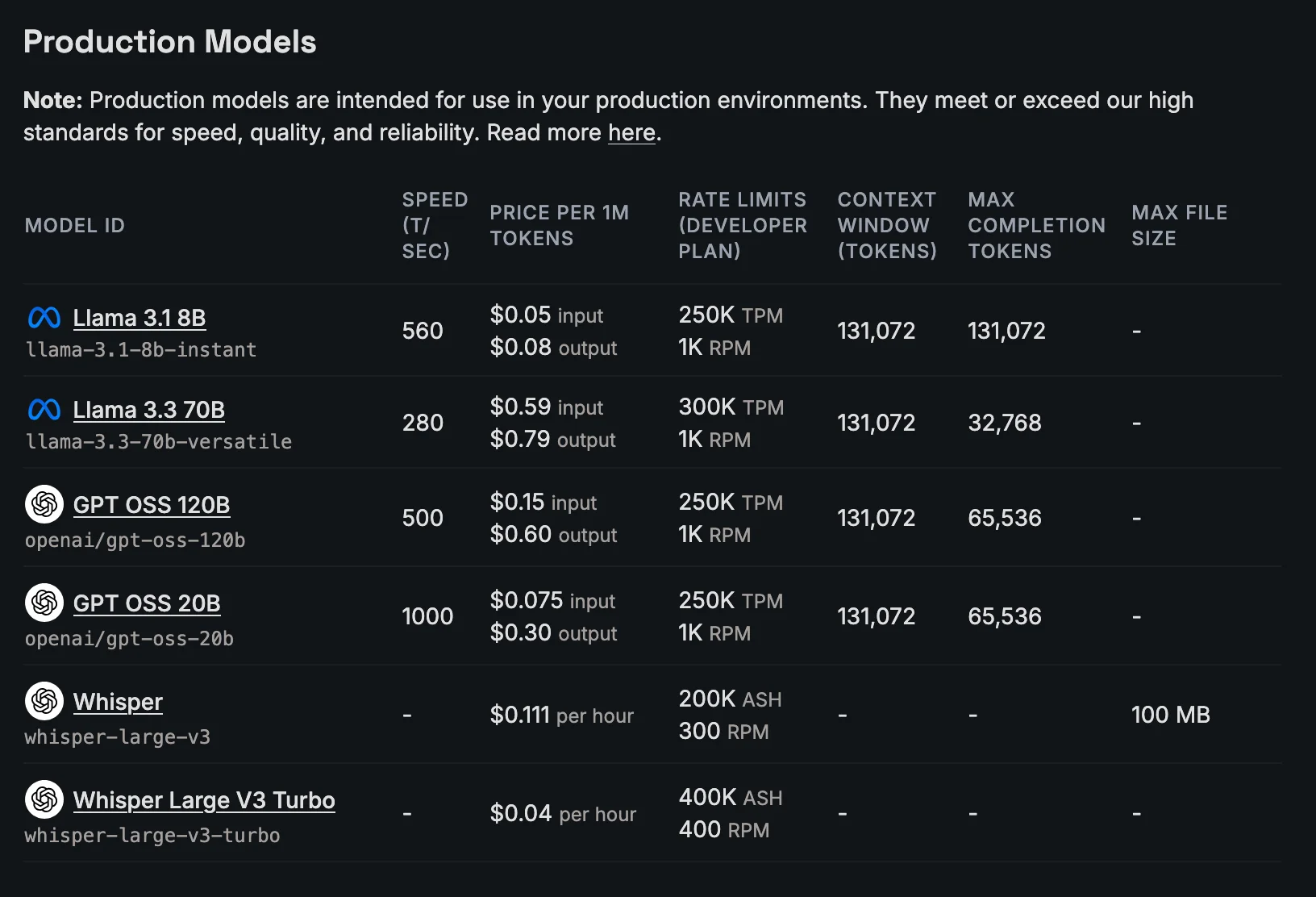
As for Groq — the folks promise extremely fast inference of up to 1,000 tokens per second on some models.
To connect another model, we need to change the URL that the model will use. We will also need to reassign all three models that are usually used by default (Sonnet, Opus, Haiku). In Claude Code, we need to go into the config for this.
The model config is located in the folder:
# Mac:
~/.claude/settings.json
Let's immediately tweak the config a bit so that it works with the Qwen 3.6 27B
{
  "env": {
    "ANTHROPIC_API_KEY": "",
    "ANTHROPIC_AUTH_TOKEN": "your_api_token",
    "ANTHROPIC_BASE_URL": "https://openrouter.ai/api",
    "ANTHROPIC_DEFAULT_SONNET_MODEL": "qwen/qwen3.6-27B",
    "ANTHROPIC_DEFAULT_HAIKU_MODEL": "qwen/qwen3.6-27B",
    "ANTHROPIC_DEFAULT_OPUS_MODEL": "qwen/qwen3.6-27B",
    "API_TIMEOUT_MS": "600000",
    "CLAUDE_CODE_DISABLE_NONESSENTIAL_TRAFFIC": "1",
    "ENABLE_TOOL_SEARCH": "false",
    "MAX_THINKING_TOKENS": "32768",
    "MAX_MCP_OUTPUT_TOKENS": "65536",
    "CLAUDE_CODE_FILE_READ_MAX_OUTPUT_TOKENS": "65536",
    "CLAUDE_CODE_EXPERIMENTAL_AGENT_TEAMS": "1",
    "CLAUDE_AUTOCOMPACT_PCT_OVERRIDE": "70",
    "CLAUDE_CODE_DISABLE_1M_CONTEXT": "1",
    "DISABLE_TELEMETRY": "1",
    "DISABLE_AUTOUPDATER": "1",
    "CLAUDE_CODE_ENABLE_GATEWAY_MODEL_DISCOVERY": "1"
  },
  "model": "opus"
}
Very important!
ANTHROPIC_API_KEYmust be set to an empty string so that Claude does not contact Anthropic's cloud.Add your OpenRouter token to
ANTHROPIC_AUTH_TOKENFor Claude Code, use exactly
"ANTHROPIC_BASE_URL": "https://openrouter.ai/api",/api/v1- it will not work; this is an OpenAI-compatible endpoint, and it will not work with Claude.
Connecting the OpenAI OSS-120B model from the fastest provider, Cerebras, at 911 tokens/second via OpenRouter
I want to use not just any model, but a model from the fastest provider, Cerebras. This cannot be done through the config, so we use a workaround.
OpenRouter has a mechanism called presets.
It lets you specify a custom route for a model and configure all its parameters under the hood, including selecting a specific provider.
Creating a new preset for a custom model in Claude Code
Go to the page https://openrouter.ai/workspaces/default/presets
Click "New preset"
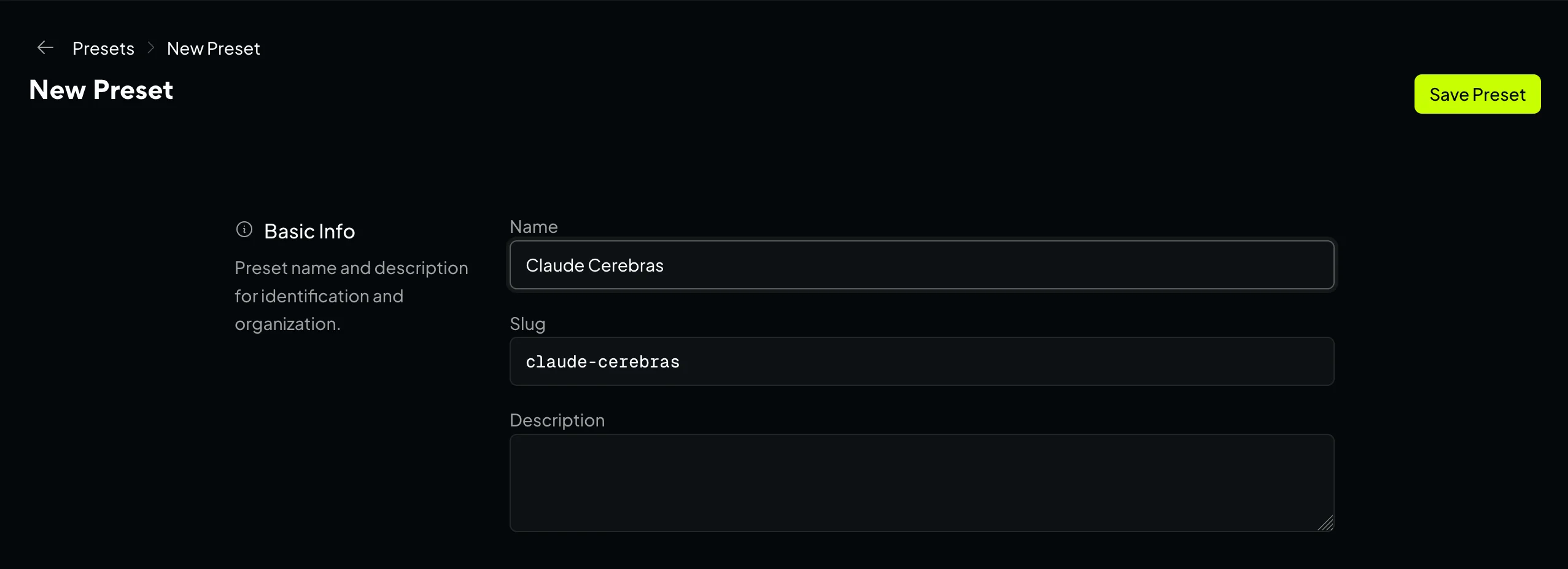
Enter any name, for example, "Claude Cerebras"
Find the model addition section.

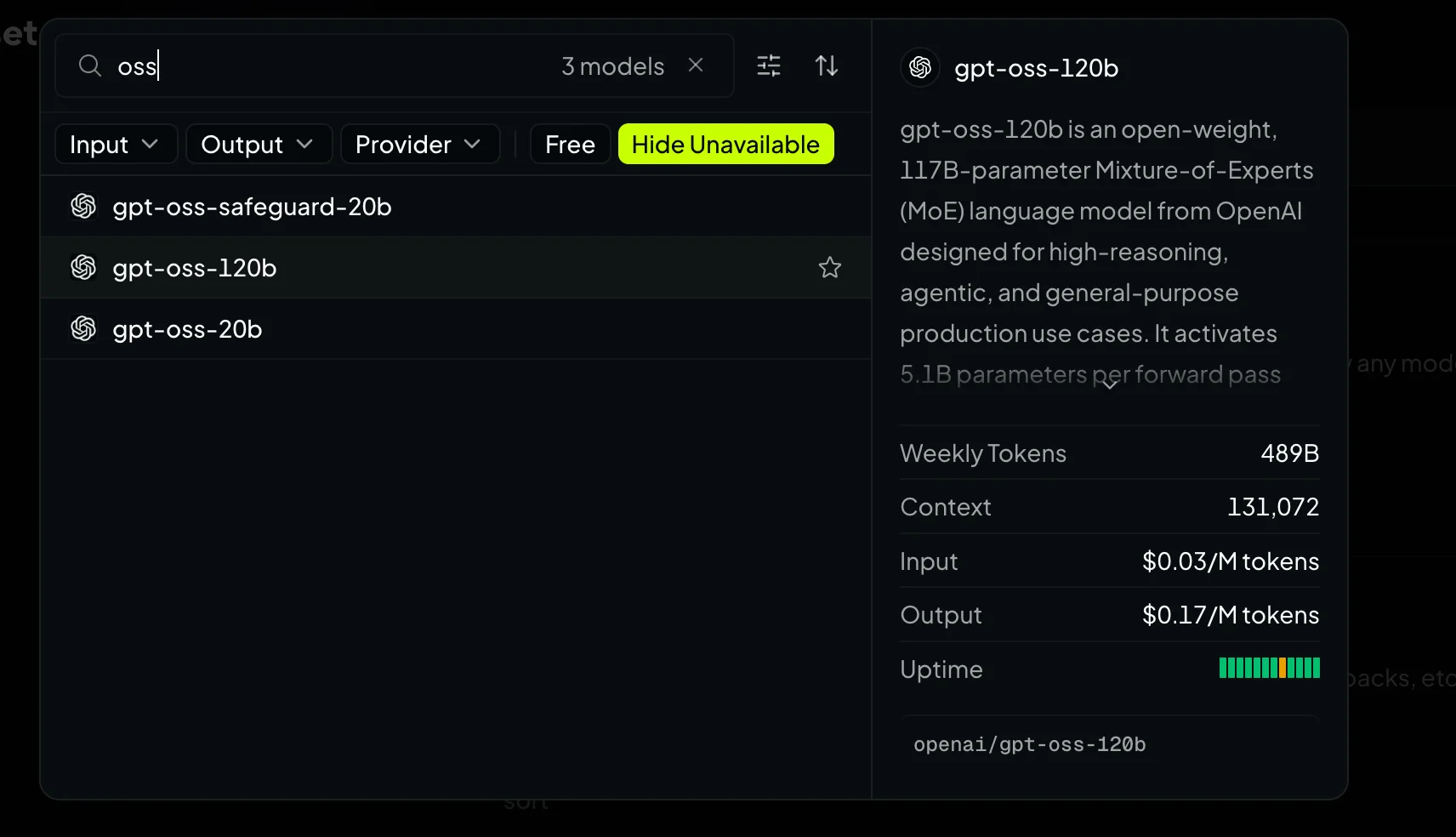
Click Add model and search for oss 120b — add it
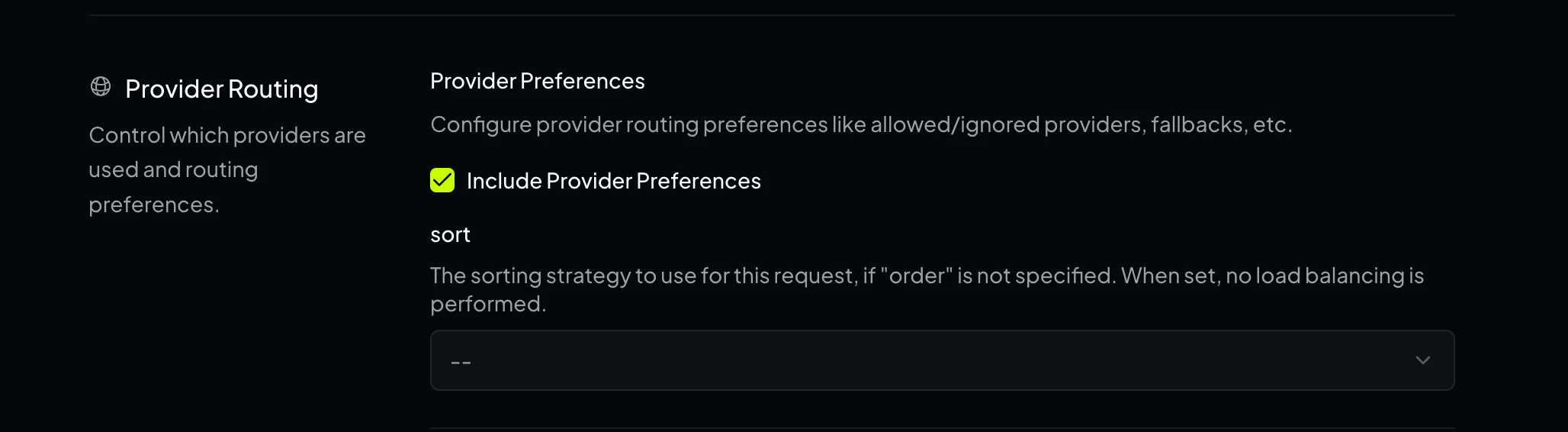
Scroll down a little and find "Include Provider Preferences"
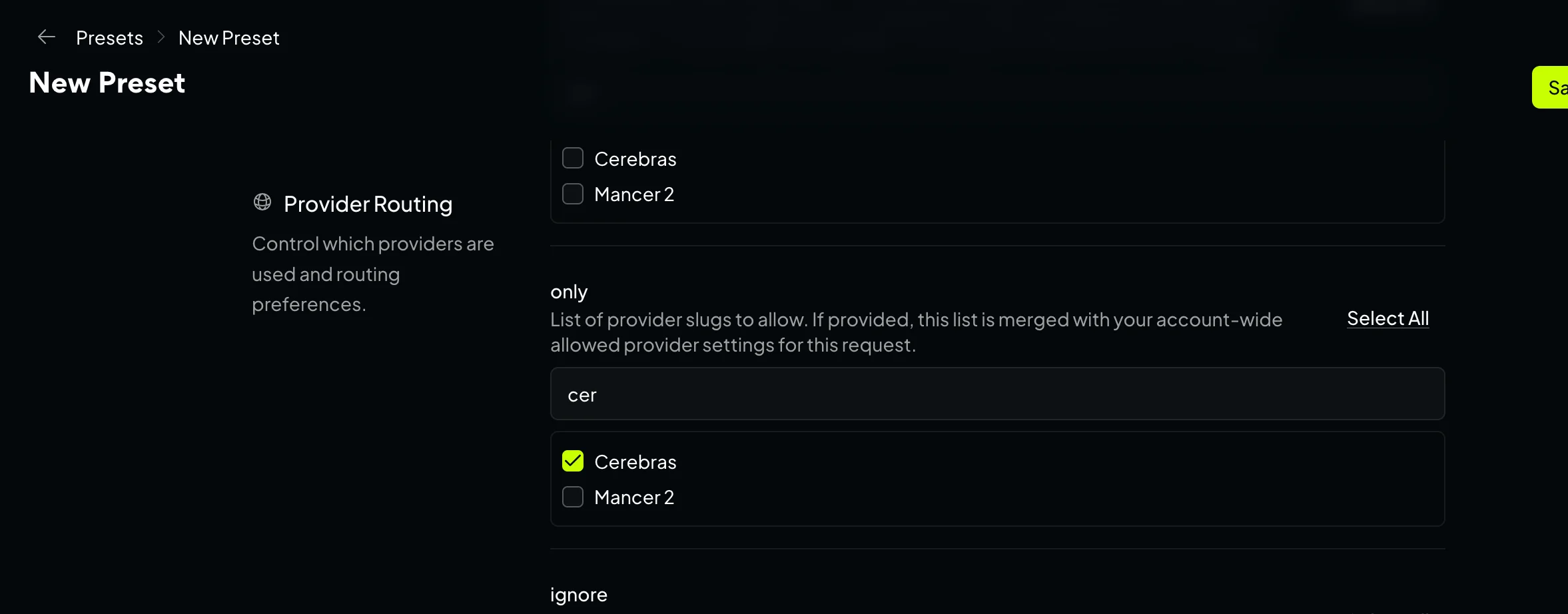
Scroll down a little further and find the setting Provider routing-> only - select the provider there Cerebras.
Save the preset by clicking the Save.
Now, any program or application that accesses the model via OpenRouter "@preset/claude-cerebras", will automatically be redirected to our configured model.
All that remains is to change the config to the new one.
{
  "env": {
    "ANTHROPIC_API_KEY": "",
    "ANTHROPIC_AUTH_TOKEN": "your_api_token",
    "ANTHROPIC_BASE_URL": "https://openrouter.ai/api",
    "ANTHROPIC_DEFAULT_SONNET_MODEL": "@preset/claude-cerebras",
    "ANTHROPIC_DEFAULT_HAIKU_MODEL": "@preset/claude-cerebras",
    "ANTHROPIC_DEFAULT_OPUS_MODEL": "@preset/claude-cerebras",
    "API_TIMEOUT_MS": "600000",
    "CLAUDE_CODE_DISABLE_NONESSENTIAL_TRAFFIC": "1",
    "ENABLE_TOOL_SEARCH": "false",
    "MAX_THINKING_TOKENS": "32768",
    "MAX_MCP_OUTPUT_TOKENS": "65536",
    "CLAUDE_CODE_FILE_READ_MAX_OUTPUT_TOKENS": "65536",
    "CLAUDE_CODE_EXPERIMENTAL_AGENT_TEAMS": "1",
    "CLAUDE_AUTOCOMPACT_PCT_OVERRIDE": "70",
    "CLAUDE_CODE_DISABLE_1M_CONTEXT": "1",
    "DISABLE_TELEMETRY": "1",
    "DISABLE_AUTOUPDATER": "1",
    "CLAUDE_CODE_ENABLE_GATEWAY_MODEL_DISCOVERY": "1"
  },
  "model": "opus"
}
Almost done!
First, run the logout command just in case.
claude /logout
claude
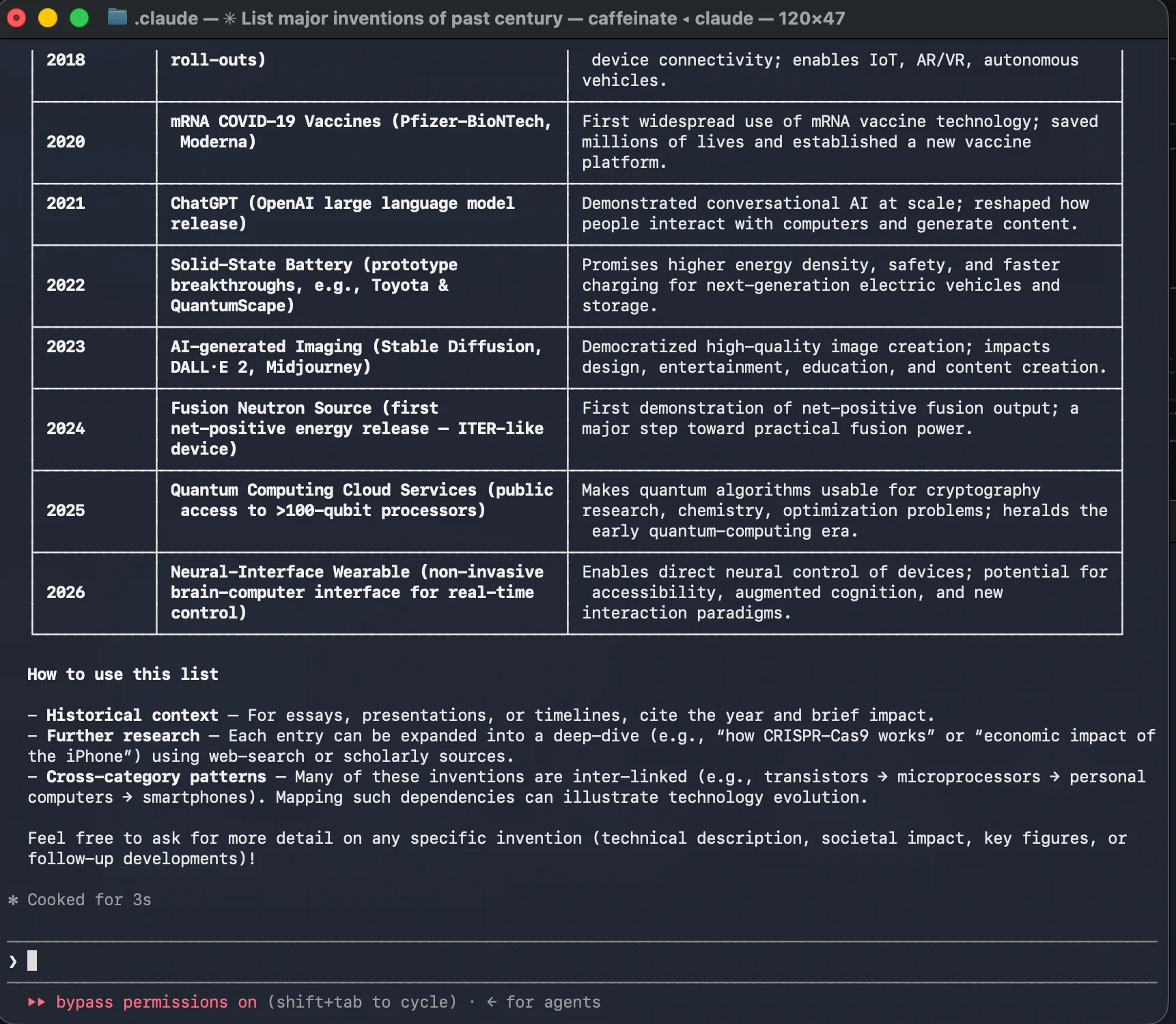
I asked it to create a large table of the most important inventions of the past hundred years. Everything was ready in three seconds.
The speed is incredible!
Connecting Claude Code to local LM Studio for 100% offline operation
LM Studio is a program that lets you conveniently download any LLM models from HuggingFace and use them right away in the chat built into the application. It also comes with a web server compatible with the OpenAI and Anthropic formats, which you can connect to from any application, including Claude Code.
Step-by-step instructions:
Download the application itself from https://lmstudio.ai/, then install it.
The bottom-most icon in the left sidebar is for searching for models.
Click it, and a model search window will appear.
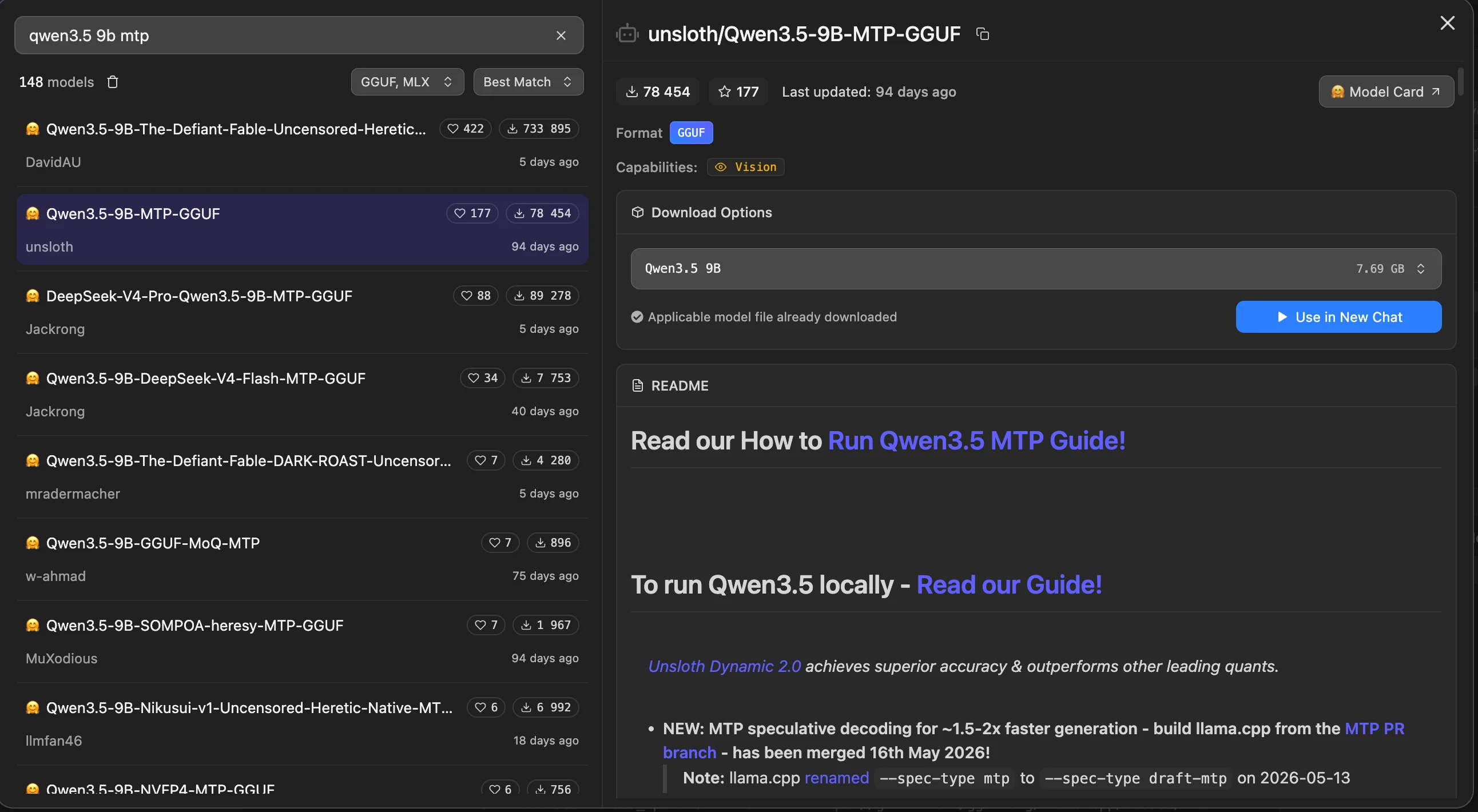
For example, I chose the following model for my laptop: Qwen3.5-9B MTP - click the Downloadbutton. I have already downloaded it.
For a MacBook, it is better to choose models in the MLX format—they are optimized for Apple M1-M5 processors.
After downloading, I load the model using the Load modelbutton. Do not forget to increase the context (Context Length) in the model settings—by default, it is usually set to 8192 tokens.
My model supports MTP to speed up generation, so I enabled it as well.
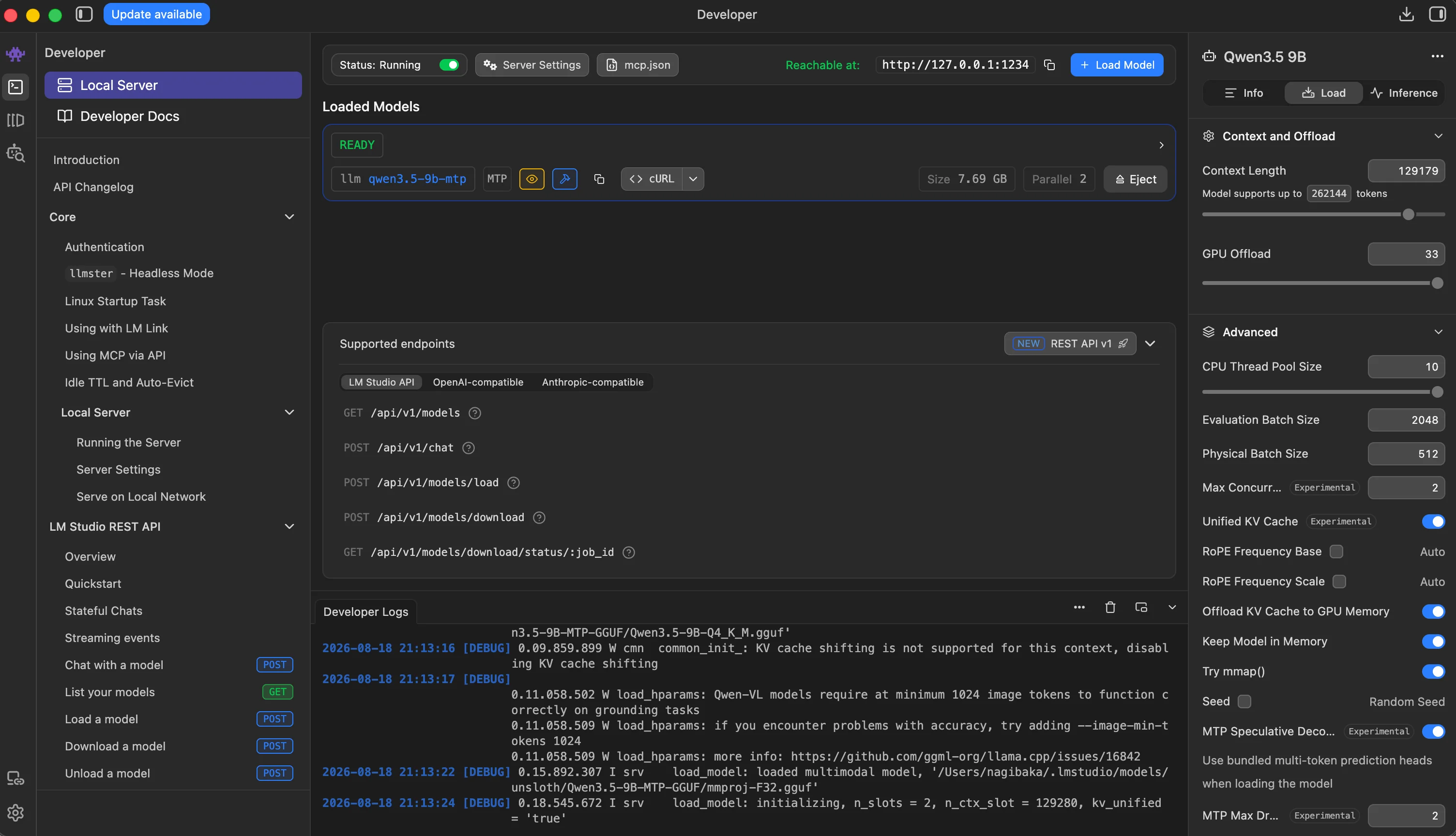
At the very top, there is a toggle to enable the web server and the address where it will be available. Enable it.
And now this model is available locally to all applications at the local address:
No authentication is required, so the key field in other applications can be filled with anything or left empty.
All that remains is to change the config:
{
  "env": {
    "ANTHROPIC_AUTH_TOKEN": "test",
    "ANTHROPIC_BASE_URL": "http://127.0.0.1:1234",
    "ANTHROPIC_DEFAULT_SONNET_MODEL": "qwen3.5-9b-mtp",
    "ANTHROPIC_DEFAULT_HAIKU_MODEL": "qwen3.5-9b-mtp",
    "ANTHROPIC_DEFAULT_OPUS_MODEL": "qwen3.5-9b-mtp",
    "API_TIMEOUT_MS": "600000",
    "CLAUDE_CODE_DISABLE_NONESSENTIAL_TRAFFIC": "1",
    "ENABLE_TOOL_SEARCH": "false",
    "MAX_THINKING_TOKENS": "32768",
    "MAX_MCP_OUTPUT_TOKENS": "65536",
    "CLAUDE_CODE_FILE_READ_MAX_OUTPUT_TOKENS": "65536",
    "CLAUDE_CODE_EXPERIMENTAL_AGENT_TEAMS": "1",
    "CLAUDE_AUTOCOMPACT_PCT_OVERRIDE": "70",
    "CLAUDE_CODE_DISABLE_1M_CONTEXT": "1",
    "DISABLE_TELEMETRY": "1",
    "DISABLE_AUTOUPDATER": "1"
  },
  "model": "sonnet",
  "skipDangerousModePermissionPrompt": true,
  "theme": "dark"
}
Launch Claude Code, and voilà!
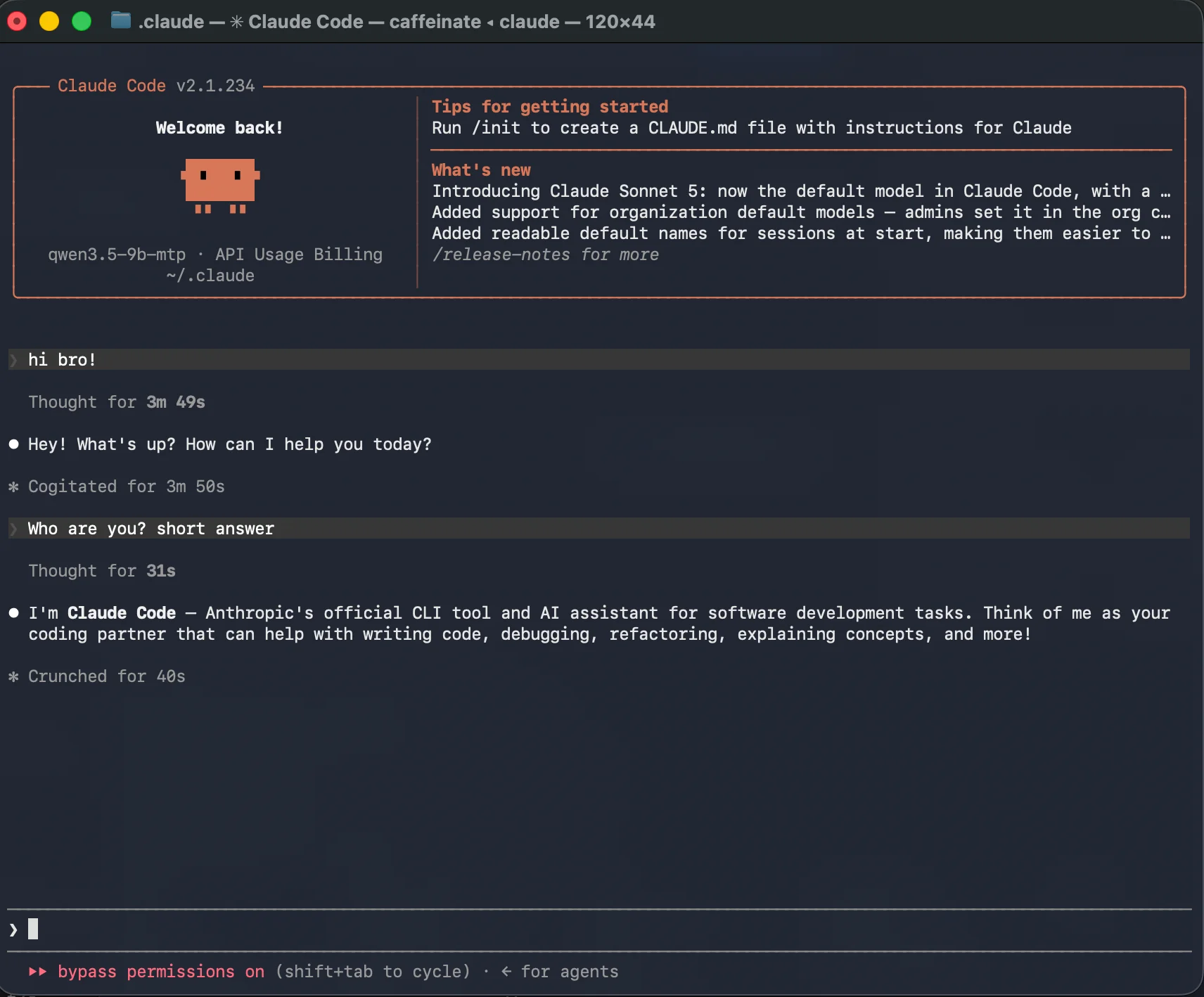
Why did the response take almost 4 minutes?
Most of the time was spent processing the input request. Claude Code has a large system prompt. Note that my next question took 40 seconds. This clearly demonstrates how caching works. The first large request was cached, and subsequent responses are generated faster.
On a laptop, the speed is 8–15 tokens per second. That is not much and not enough for comfortable work. On a graphics card, it will be 10+ times faster.
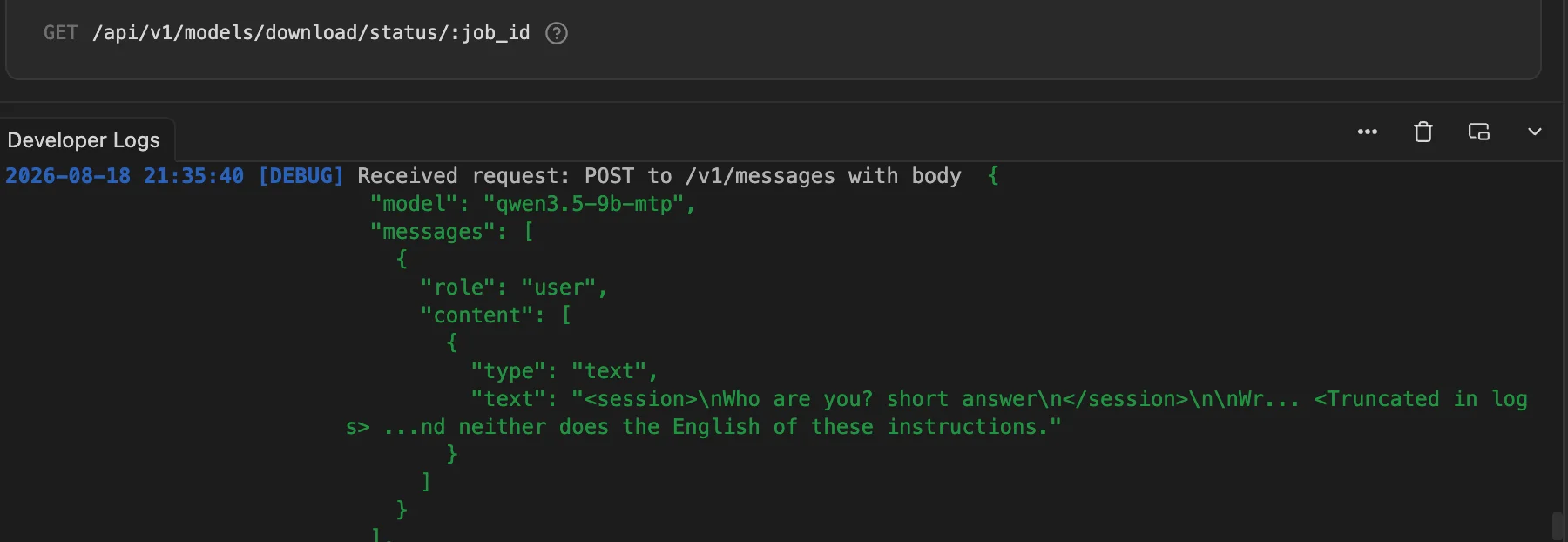
By the way, in the LM Studio logs directly in the interface, you can view the entire Claude Code system prompt and everything that was sent to the LLM.
Configuring corporate models
As a rule, the company provides the instructions. But the essence is roughly the same. Using a script or manually, you change the model address, enter the token you were issued, and you are ready to work!
That is all!