
Lesson
3.1 The first tool is voice input. How to set up Spokenly for voice input in any text field for private offline work
We have finally reached the practical lessons on AI-assisted development. We won't start with basic prompts; instead, we'll make entering them convenient. Beyond speed, voice input has several very cool, non-obvious advantages. Some people are skeptical about this, but I strongly recommend you just try it once, and you will likely find it hard to give up afterward. In addition to dictating prompts, you will be able to dictate any text in any application, such as messengers and email clients.
Non-obvious advantages of voice input
Modern speech recognition models have become very powerful. About 10 years ago, I tried to build systems like a smart home with voice command recognition and experimented with the models available at the time, such as Vosk or the built-in recognition in Google Chrome. Their quality was mediocre, or to be more precise, terrible.
New models not only recognize text with high quality but also know how to place punctuation marks. However, they still make mistakes, especially when using slang or certain specialized terms and abbreviations.
So, what are the benefits of voice input?
Improved diction
To minimize recognition errors, you will need to articulate your thoughts more clearly and slowly. After a while, you will notice that your diction has improved.
More comprehensive context for prompts
When interacting with an LLM, you can describe your task in great detail using free-form language, without worrying about how to write it more concisely or succinctly by hand. Speak as you would to a fellow developer you are delegating a task to, explaining in detail what to do, how to do it, and why. There is one very clear pattern: when you dictate a prompt, you provide much more useful information in the context. By voicing your concerns, goals, and preferences, and providing examples, you give the LLM a more complete set of conditions and constraints. This qualitatively improves the result.
What speech recognition systems are available on the market?
I want to look at popular programs that can recognize speech directly on your device offline and do not depend on cloud services.
SuperWhisper
Website: https://superwhisper.com
Platforms: Mac, Windows, iOS
This is probably the most well-known speech recognition program.
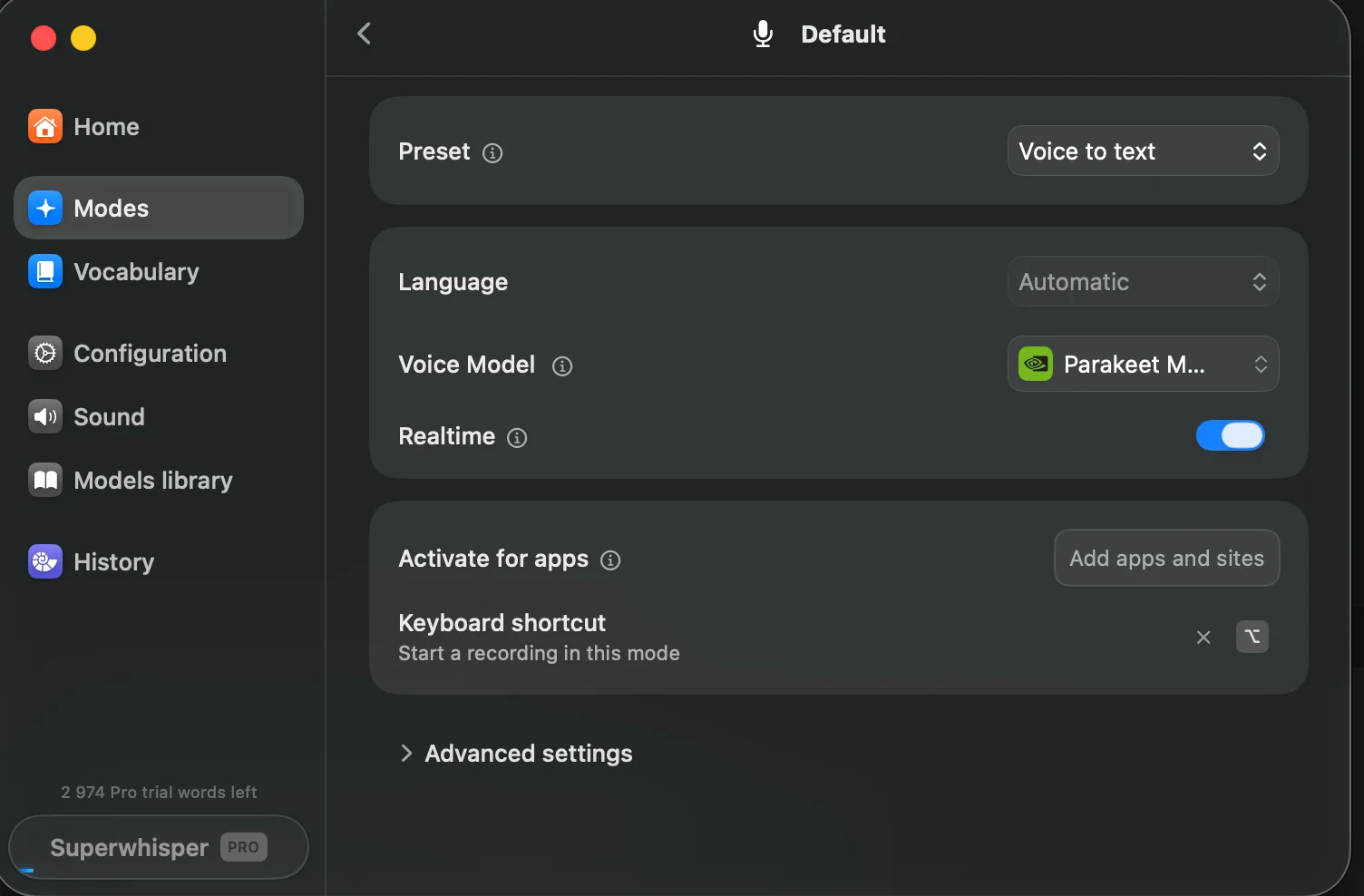
Why doesn't it suit us? It is paid. Despite the fact that the program can recognize voice locally and without an internet connection, credits are still consumed, even during local recognition. You can see this in the bottom left corner.
3,000 credits will disappear quite quickly with active use.
Handy
Website: https://handy.computer
Platforms: Mac, Windows, Linux
This is an excellent and free program for all major platforms, and even for Linux, for which it is difficult to find decent voice recognition software.
Also, a large number of various models are available for download here. Top-notch!
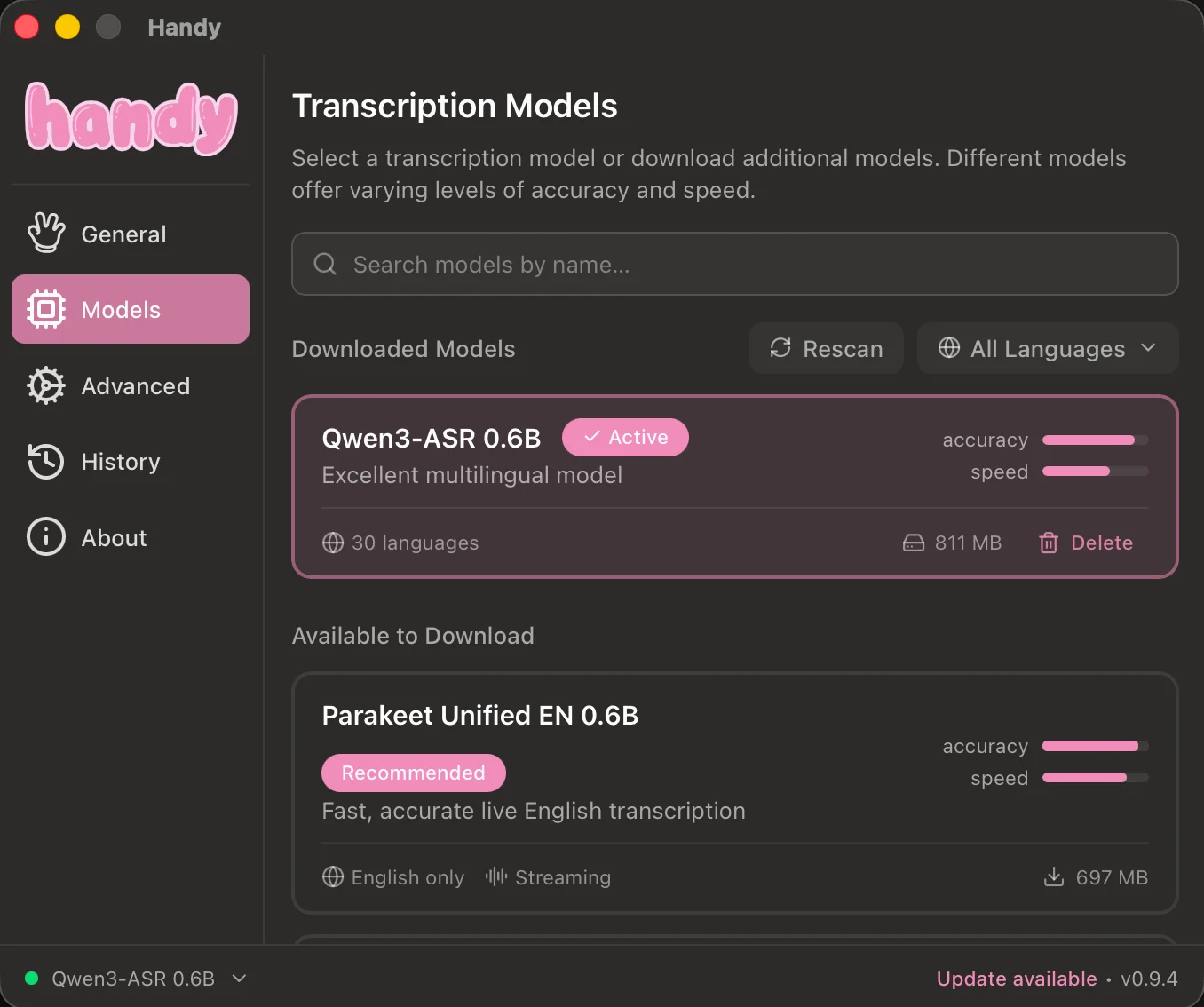
An excellent model is also available here: Parakeet 0.6B v3 , which is multilingual, and Whisper Large v3 Turbo
A more advanced voice recognition system, Spokenly
If you only need voice recognition, then Handy, which we discussed above, will suit you better. It also offers a much wider selection of available models. On the other hand, the top-tier models are available in both applications. However, if you need higher-quality post-processing of your voice input and automation, then you should take a closer look at the following application.
Website: https://spokenly.app/
Platforms: Mac, Windows, Linux, iOS
What makes Spokenly different:
The ability to map a scenario to a hotkey, such as the right Option (Alt) key, so that the recognized text is sent directly to your application via an HTTP endpoint. If you have your own AI agent, you get a damn convenient way to send commands to it and get things done immediately.
Post-processing, punctuation, and capitalization.
Processing recognized text using cloud or local text LLMs, auto-correction, removing filler words, profanity, or anything else.
Excellent models:
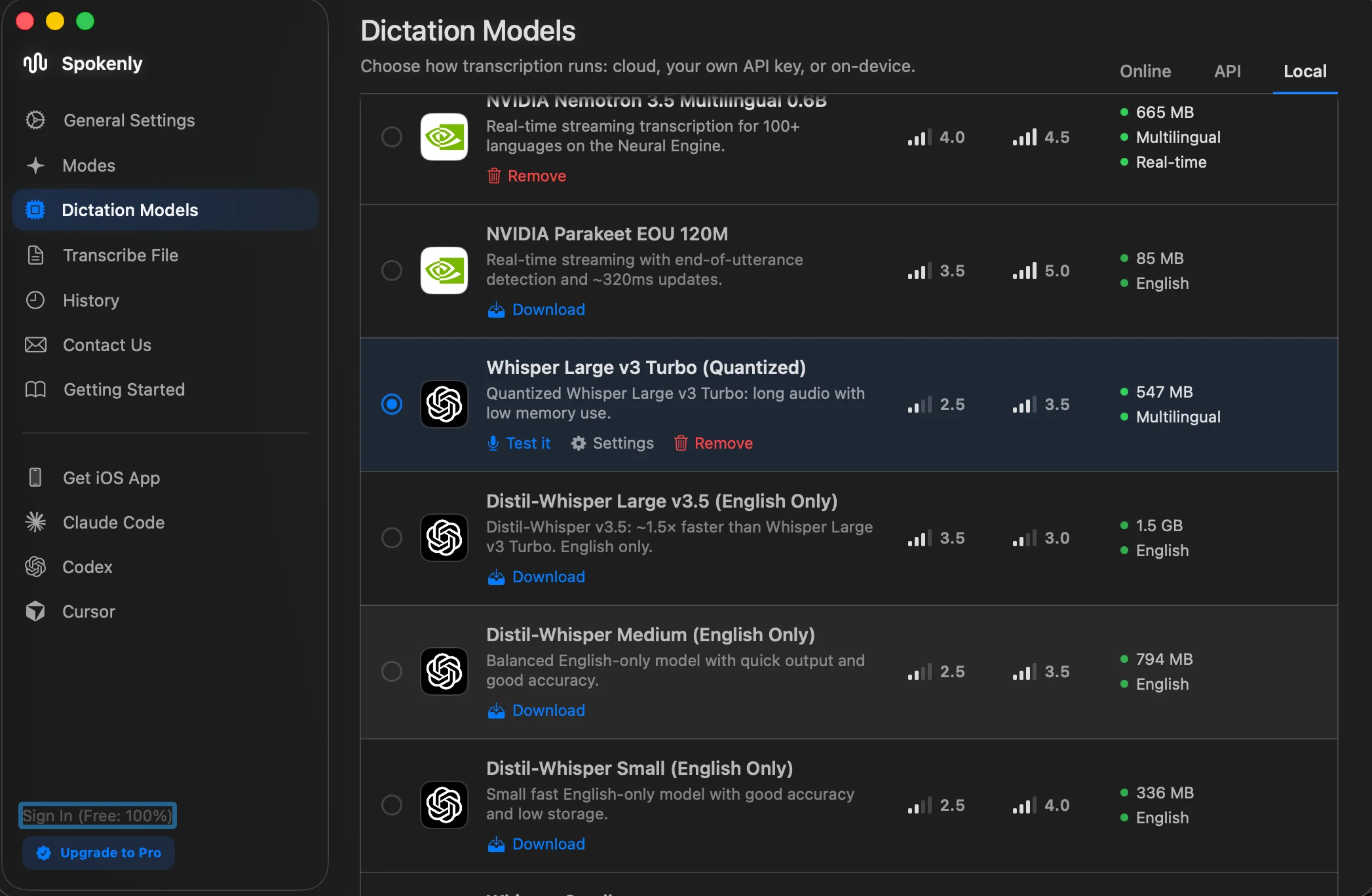
NVIDIA Parakeet TDT 0.6B V3 - very fast, decent quality, consumes little memory, multilingual, size - 496 MB.
NVIDIA Nemotron 3.5 Multilingual 0.6B - also a very fast and decent quality model, multilingual, 665 MB.
Whisper Large V3 Turbo (Quantized) - not as fast, but much better in terms of recognition quality, especially for abbreviations and specialized terms. The full version takes up 1.5 GB. This quantized version has minimal quality loss, takes up much less space, and runs significantly faster than the original model. Multilingual, 547 MB.
Settings:
Download the model and select it. I have two models Parakeet+Whisper - I switch between them. For long prompts, Whisper recognizes better, and I have to correct the text significantly less.
Next, I recommend going to the settings under General settings - scroll to the very bottom and check Local-only mode. Now you can use the program without limits by using a local model.
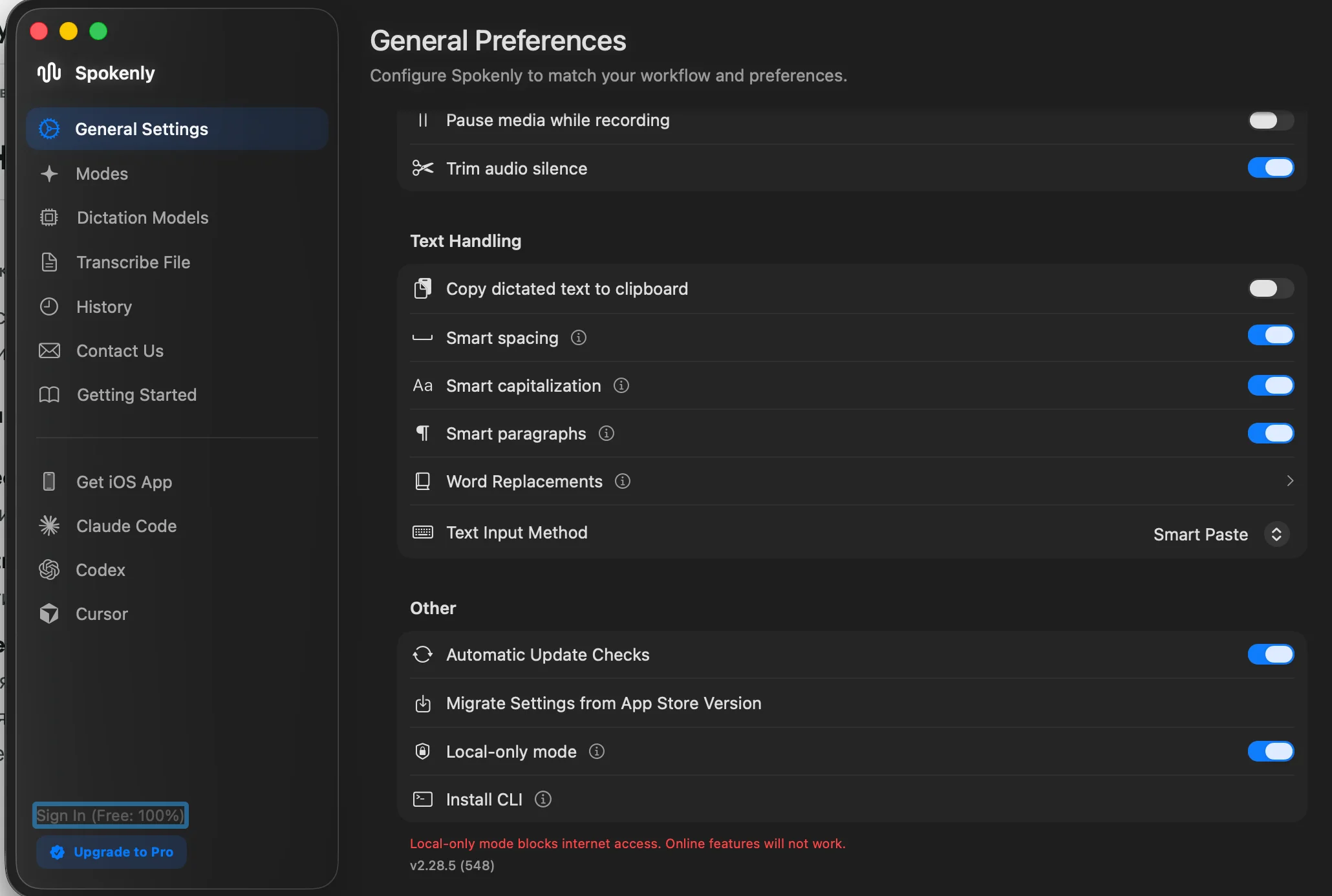
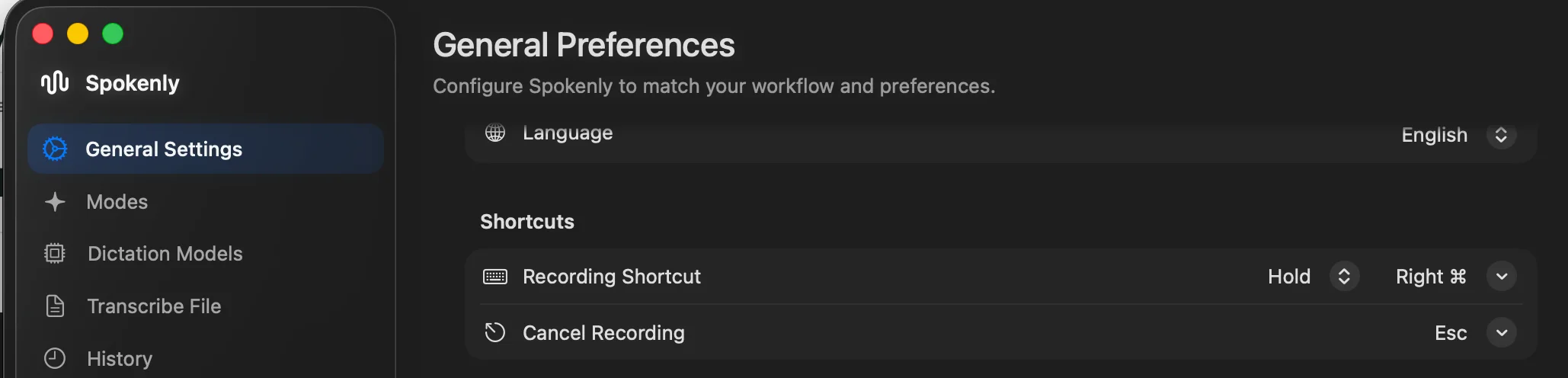
I have tried all activation modes, and the most convenient one is the walkie-talkie mode(Push-to-talk) via a hotkey - right Command(Control). While the key is held down, you speak the text, and when you release it, it is recognized and automatically inserted into the input field.
Also, pay attention to the switches in the Text Handlingsection.
Setting up Recording Shortcut - Hold mode and hotkey Right Command
That's all.
Voice input will give you a huge boost. Give it a try!